


In corporate HR, if you put an employee in a dark room and make them watch mandatory training videos for two hours, they turn into a zombie.
In parenting, we call this passive screen time.
My kids used to spend their screen time watching cartoons.
You know the drill: glassy eyes, open mouths, completely zoned out.
I hated it.
I tried going cold turkey, but my 8-year-old needs to type for school, and my 2-year-old desperately wants to copy everything she does.
Screens are not going anywhere.
So I stopped asking “how much screen time?” and started asking “what kind of software are we running?”
That one small shift changed everything, and it is the foundation of what I now consider a real approach to active screen time for kids.
Quick Takeaway
- Passive screen time (such as cartoons and autoplay videos) puts kids in a receive-only mode with little cognitive benefit.
- Active screen time (typing games, coding apps, digital painting) requires thinking, problem-solving, and creating.
- You do not need to ban screens. You need to upgrade what runs on them.
- Free browser games, such as Typing Balloon, can replace cartoon sessions and actually build real skills.
- Short, structured sessions (20 minutes) prevent the “zombie effect” and leave kids feeling accomplished, not drained.
- Toddlers naturally join older siblings during active sessions, turning solo practice into sibling learning time with zero extra planning.
Passive Consumption vs. Interactive Learning: Why the Difference Matters
Not all screen time is created equal, and once I understood that, things got a lot clearer.
Passive screen time means sitting back and absorbing.
Cartoons, YouTube videos, mindless scrolling.
The brain is essentially in receive-only mode with almost no cognitive effort required.
Active screen time means actually doing something.
Thinking, problem-solving, creating.
Typing games, educational apps, and interactive tools that require a response from the child.
The difference is not subtle.
When my daughter watches a show, she melts into the couch.
But when she is doing a typing game, she sits up straight at her little table, focused, sometimes even grabbing a notebook to track her own progress.
Same device. Completely different experience.
This is not just a parenting observation.
The American Academy of Pediatrics updated its guidelines in 2026 to move away from counting screen minutes and toward evaluating content quality.
Their updated framework now officially supports interactive and creative screen use while maintaining concern about passive, fast-paced entertainment.
In other words, the screen is not the enemy. The passivity is.
Setting Up the Floor Office: Our Co-Working Space for Kids
One of the biggest mistakes I made early on was treating the laptop like a forbidden object, something only for adults.
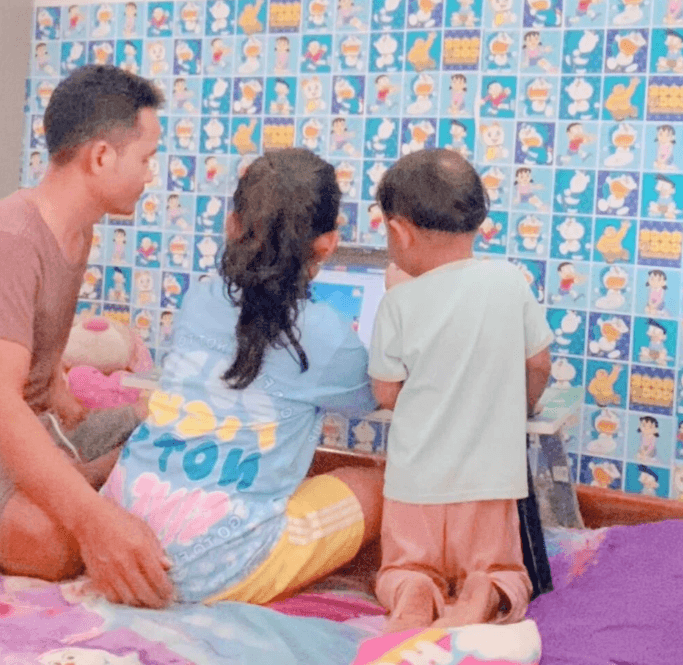
When I decided to switch to active screen time, I realized the physical setup needed to match that shift.
We did not buy an expensive desk. We kept it simple.
We set up a small foldable table on the floor or on the bed.
Two reasons this worked really well.
First, eye level.
The screen comes down to their level, so nobody is craning their neck at a grown-up desk.
Second, shared space.
Sitting on the floor or bed keeps it open and inviting.
It is not a solitary thing tucked away in another room.
It is right there in the family space where I can sit behind them and watch.
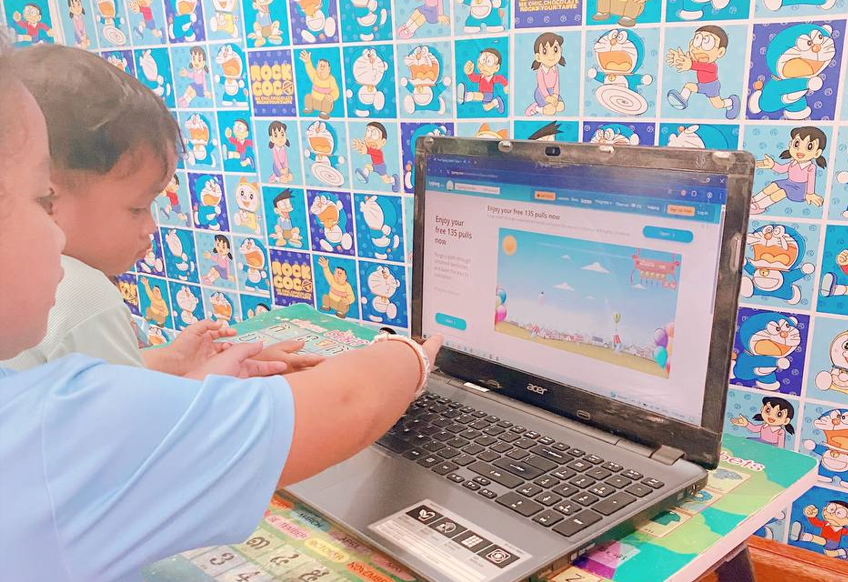
We even made the corner feel special with our “Doraemon Wall” of stickers.
It signals something: when the laptop is on this table, it is learning time, not just TV time.
The table itself has letters and numbers on it, which reinforces that this is a place for thinking.
A dedicated, welcoming setup is one of the most underrated parts of building a healthy screen time routine for kids.
When the environment says, “This is where we learn,” kids tend to show up differently.
Our Simple Switch: From Cartoons to Free Educational Browser Games
I needed screen time with an actual purpose, not just entertainment that left them zoned out.
We found a free browser game called Typing Balloon.
Super basic. No fancy graphics, no in-app purchases, no addictive hooks.
Just letters floating on balloons that you pop by pressing the matching key.
My daughter started using it to improve her typing speed for school.
Within a week, something shifted.
She stopped asking for cartoons.
The typing game gave her something cartoons never could: a sense of accomplishment.
She could see herself getting faster, making fewer mistakes, leveling up.
Watching her feel proud of herself instead of just numbing out — that is what real educational screen time should actually look like.
If you are wondering how to reduce passive screen time without a fight, this is the approach that worked for us.
You are not removing something.
You are replacing it with something better, and kids can feel that difference.
Cross-Training: When the Toddler Wants In
This part caught me completely off guard.
My 2-year-old could not care less about cartoons when his sister was not watching them.
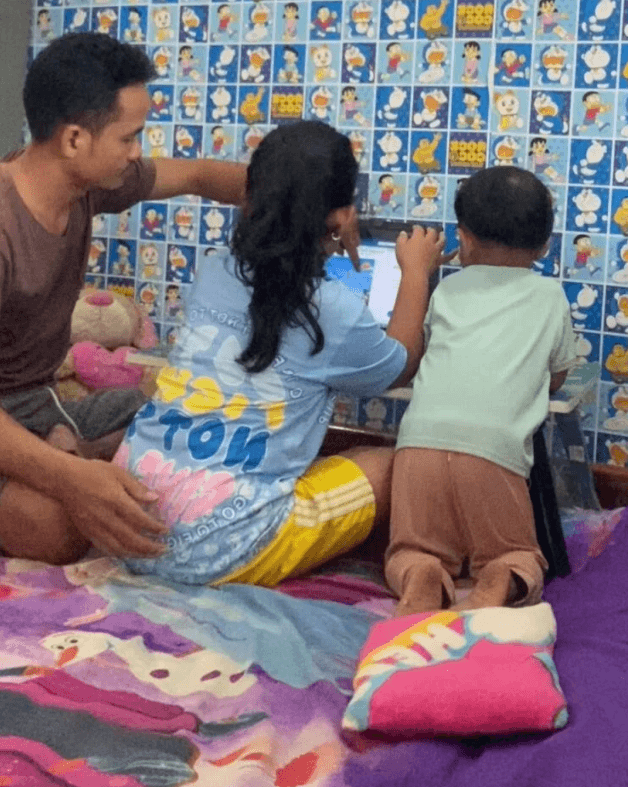
But the second she sat down at the laptop to practice typing, he climbed right into her lap.
“I want to play letters!”
I figured he would mash random keys and lose interest fast.
Instead, my daughter became his little teacher.
“This one is B! Can you find B? Good job! Now find A!”
Suddenly, educational screen time for toddlers was not something I had to plan.
It just happened.
He was learning the alphabet while she practiced typing.
They were actually talking to each other instead of sitting silently in front of separate screens.
That is exactly what I had been looking for all along.
Sibling screen time that builds connection instead of breaking it.
3 Free Educational Browser Games That Actually Work (and How We Use Them)
Finding “educational” games is easy.
Finding ones that are not stuffed with ads or predatory micro-transactions is harder.
Here is what is genuinely working for our family right now.
1. Typing Balloon: The Favorite for Building Typing Speed
This is the one you see in our photos.
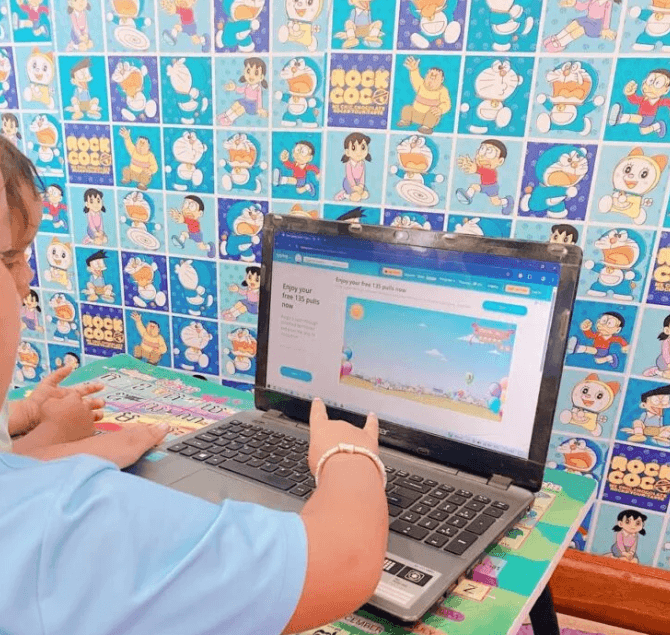
Balloons float up from the bottom of the screen with a letter on each one.
You press the matching key to pop it before it reaches the top.
Why it works: instant feedback.
My daughter sees the balloon pop and gets that little rush of accomplishment right away.
The toddler twist: my 2-year-old cannot type yet, but he loves the visual.
He points to balloons and shouts the colors or letters he recognizes while his sister does the actual typing.
A solo game becomes a two-player experience without any extra effort.
2. Digital Painting: The Creative Outlet with Zero Mess
When they get tired of structured games, we switch to a simple browser-based paint tool.
I was nervous about real paint and the cleanup involved, but digital painting lets my toddler explore cause and effect (I touch here, color appears there) without any mess.
One tip: look specifically for painting apps without a “gallery” feature, where he might accidentally stumble onto other people’s artwork.
Blank canvas only.
3. Drag-and-Drop Coding: Free Block Coding Games for Kids
We recently started with very basic block coding games.
These are not about writing code.
They are about logic.
You drag an arrow to tell a character to move right, then hit play to see if it works.
It teaches kids the fundamental idea of giving clear instructions, which honestly translates to real life more than most school subjects do.
These are among the best free browser games I have found because they require active decision-making at every single step.
There is no passive mode.
Our Active Screen Time Routine: The After-School Setup That Works
I used to just hand over the tablet whenever I needed a break.
Now we have a loose rhythm.
We do not follow it perfectly every day, but this is the general goal.
The After-School Slot (20 minutes).
Before dinner, when energy is low, but bedtime is still a while away, the laptop comes out to the low table.
My daughter gets 15 to 20 minutes of typing practice.
This is the focused, high-effort slot.
The Sibling Session (10 minutes).
The toddler usually wanders over during this time. Instead of sending him away, we invite him in.
He naturally wants to touch the screen and be part of whatever is happening.
We let him “help” for the last 10 minutes.
The Friday Treat. On Fridays, we loosen up.
More open-ended creative games, or we watch a science video together as a family.
Keeping sessions short means they never hit that zombie state.
They finish feeling like they did something, not drained from an hour of passive watching.
Why This Actually Feels Different Now
I am not going to pretend we have banned cartoons forever.
Some days, I need 20 minutes of peace, and Bluey gets the job done.
No shame in that.
But most days now, when the laptop comes out, I do not feel that low-grade guilt anymore.
I see my daughter building a real skill she will use in every grade, every job, for the rest of her life. I see my toddler picking up letters without me hovering over flashcard drills.
And I see them laughing together instead of zoning out separately.
We still have limits.
They do not get unlimited access.
But when they do get active screen time, it is actually doing something for them instead of just keeping them quiet.
That is a return on investment worth a lot more than another episode of cartoons.
Final Thoughts: Stop Banning the Tech, Start Upgrading the Software
If you are dealing with screen time guilt, here is the honest advice: do not ban the tech.
Upgrade the software.
Swap passive watching for active learning.
Find things that make your kids think, not just consume.
The screens are not the enemy.
The lack of interactivity is.
Whether you start with a free typing game, a simple paint tool, or a beginner block coding app, the principle is the same: intentional screen time for children looks and feels completely different from passive screen time.
And when your toddler climbs into their sibling’s lap to shout out letters?
That is the moment you will know you made the right swap.
Frequently Asked Questions
How do you handle the meltdown when the 20 minutes of active screen time are up?
We use a visual timer (like a kitchen egg timer) right next to the laptop. When they can physically see the time running out, it shifts the “blame” from me to the clock. We also transition immediately to a high-energy physical activity, like a quick dance party or going outside, rather than asking them to sit quietly.
Do you use a standard mouse for your 2-year-old?
No, a standard mouse is too hard for toddler hands to coordinate. If we are doing digital painting, we use a laptop with a trackpad or a cheap plug-in trackball mouse. It removes the frustration of having to click and drag simultaneously.
How do you avoid inappropriate ads on free browser games?
This is the tricky part with free games. We strictly use games that do not have banner ads on the sides. For absolute safety, I recommend using an ad-blocker extension on your browser (like uBlock Origin) before setting up the “Floor Office” for the kids.
Is it okay if they just use an iPad instead of a laptop?
Yes, a tablet works perfectly for active screen time, but I highly recommend getting a cheap Bluetooth keyboard to go with it. The physical act of pressing a mechanical key is much better for their motor skills than tapping a flat glass screen, and it keeps their posture upright.
Disclaimer: I am a parent and a university educator, not a licensed child psychologist or pediatrician. This guide is based on my personal parenting experience and educational background. Always consult your child’s teacher or pediatrician for professional advice regarding your child’s educational development.
